
LATEST RELEASE
dotpict Easy to draw pixelart
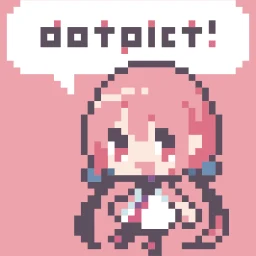
dotpict is 5M downloads pixelart drawing app. Specialized function for pixelart!
XAPKEntertainment
✓Kiểm tra tương thích trên thiết bị của bạn
8.6/ 10
- 0
- Downloads
- 43.3K
- Reviews
- v23.11.17
- Latest version
Download
APP PREVIEW
dotpict Easy to draw pixelart screenshots
Swipe to explore
About dotpict Easy to draw pixelart
Over 5 million downloads!
Draw the pixel art you want on your mobile device Post your creations to the community and enjoy pixel art with users worldwide!
◆ Quick Pixel Art Creation ・Place pixels exactly where you want with precise cursor controls ・Switch to draw‑along‑trace mode using pen or finger ・Packed with pixel‑art tools like mesh pen, outline, onion skin, and more ・Auto‑save keeps your work safe ・Easily create animated GIFs
◆ Join Prompts & Challenges ・Challenge yourself with daily prompts like “apple,” “seal,” or “clock” ・Take on color‑ or size‑limited challenges such as “Draw a fox using only ⚫️🟠🟡⚪️” or “Create a ⛄️ in 16×16” ・Customize templates in challenges like “Decorate an omelette rice” ・Create your own challenges and invite participants
◆ Post & Connect ・Post creations made in dotpict or other apps ・Hundreds of new works are posted daily ・Connect through likes, comments, and follows ・With many active users, getting feedback is easy
Download now and enjoy pixel art with creators around the globe!
- ↗Over 5 million downloads!Draw the pixel art you want on your mobile devicePost your creations to the community and enjoy pixel art with users worldwide!◆ Quick Pixel Art Creation・Place pixels exactly where you want with precise cursor controls・Switch to draw‑along‑trace mode using pen or finger・Packed with pixel‑art tools like mesh pen, outline, onion skin, and more・Auto‑save keeps your work safe・Easily create animated GIFs◆ Join Prompts & Challenges・Challenge yourself with daily
What’s new in v23.11.17
- We have added an alignment feature.
- You can now choose the cursor size from Small, Medium, Large, or Extra Large.
- We have fixed some bugs.
- A mark will now appear on the cursor when editing hidden layers.
- The color display of the eyedropper has been changed to "Top: Picked Color / Bottom: Current Color."
- This was reversed previously, so we have aligned it with the common display order. We appreciate your understanding, especially if you are used to the old display.
- Fixed some bugs.
COMMUNITY RATING
8.6/10
Review for dotpict Easy to draw pixelart
8.6/10 from 43,258 reviews
VERSION HISTORY
Previous versions of dotpict Easy to draw pixelart
KHÁM PHÁ RIÊNG CHO BẠN
Cá nhân hóa có kiểm soát
Lịch sử được lưu trong trình duyệt; server chỉ xử lý tín hiệu đã giới hạn để trả gợi ý và không lưu hồ sơ cá nhân.Đang nhận diện Android và ABI từ trình duyệt…
Cá nhân hóa đã tắt.
SoftSri sẽ không ghi nhớ app vừa xem hoặc danh mục thường truy cập trên trình duyệt này.
Phổ biến tại quốc gia của bạn
Xu hướng theo khu vực đã chọn.
Tiếp tục khám phá
Dựa trên app và danh mục bạn vừa xem.
dotpict Easy to draw pixelart
Discover
View all ↗Similar apps
02
App

Entertainment
BuffBuff
BuffBuff
★ 7.9
30.8 MB
03
App

Entertainment
Appvn
Appvn
★ 8.8
Varies
04
App

Entertainment
Pony Pixel Art
Pixel Art Book Color By Number - Pop It 3D Games
★ 0.0
76.9 MB
05
App

Entertainment
Color By Number - Pixel Sandbox
Alyamzapp
★ 0.0
3 MB
06
App

Entertainment
Sleepy-time Boyfriend Tomoya
Visualworks Co., Ltd.
★ 10.0
37.3 MB
07
App

Entertainment
Ghost Detector Pro Radar
Cards
★ 9.4
94 MB
08
App

Entertainment
MiniSeries TV:DramaShort&Reels
ilmkiweb
★ 9.6
151.2 MB